


Understanding CE broker: A 2026 Guide for Pros
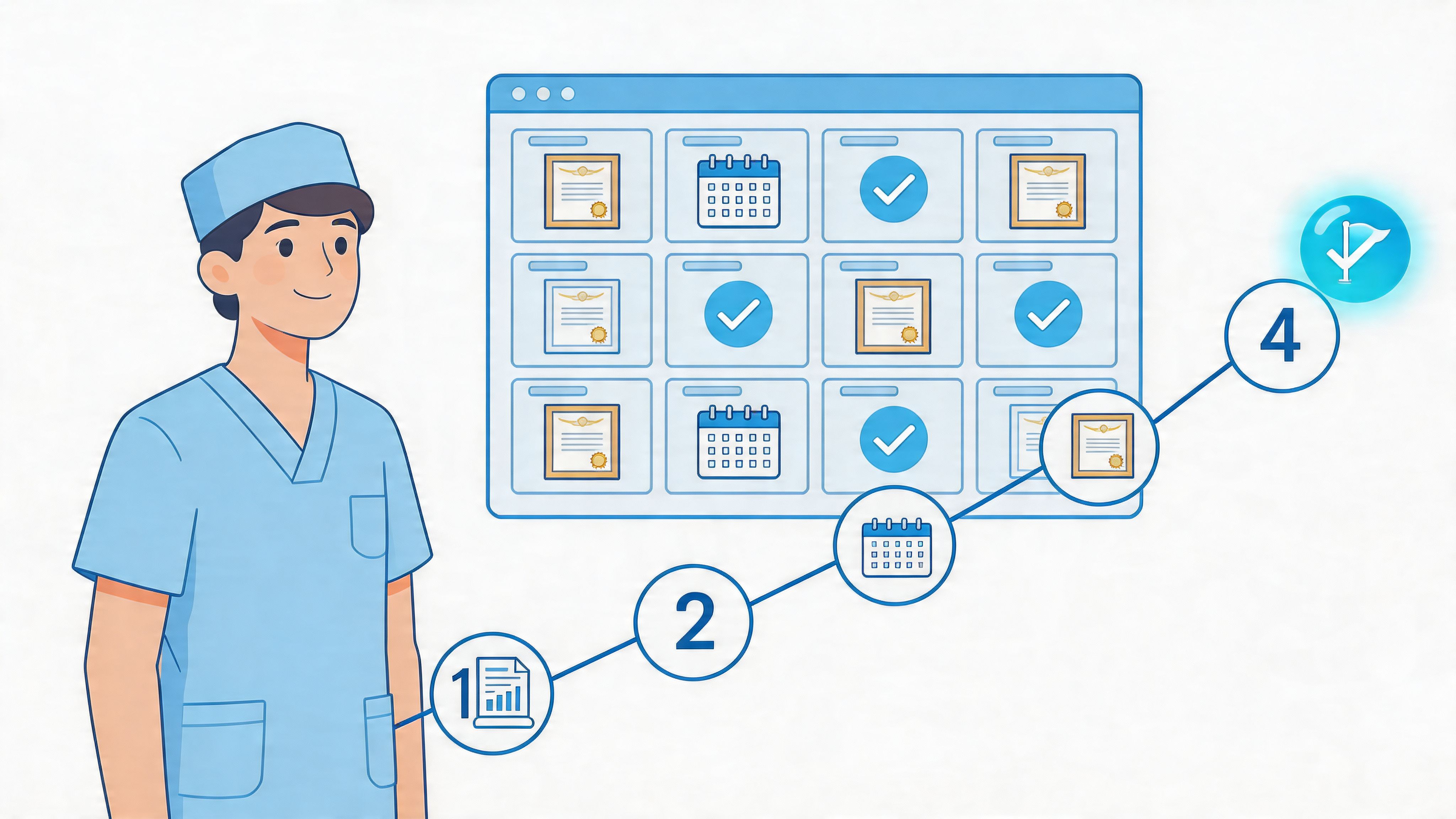
If your renewal deadline is getting closer and you're still hunting through emails for certificates, you're not alone. Most nurses don't struggle with the education itself. They struggle with the tracking, the reporting, and the uncertainty of whether the board can see what they completed.
That’s where c e broker changes the process. When nurses understand what the platform does, what it doesn’t do, and how automation fits in, renewal becomes much easier to manage. The goal isn’t just to stay compliant. It’s to stop wasting time on avoidable admin work.
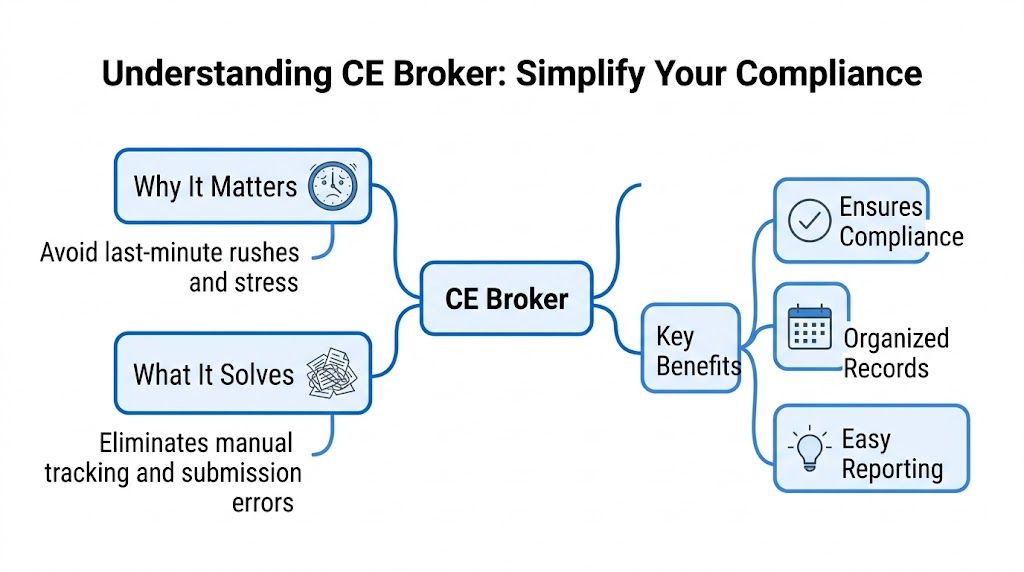
What Is CE Broker and Why Does It Matter for You
For many nurses, CE Broker feels confusing at first because it sounds like another optional website. It isn’t. In many settings, it functions as the official recordkeeping system that connects your education activity to your licensing board.
A simple way to think about it is this. CE Broker is a digital filing cabinet shared by three groups: you, your CE provider, and your board. When that system is working correctly, your completed education appears in one place, your transcript is easier to review, and your renewal status is easier to understand.
CE Broker manages continuing education for more than 350 professions. The same overview notes that since becoming the Florida Department of Health’s official CE tracking system in 2013, qualifying course completions have been posted to licensee records overnight, allowing real-time views of credits and transcripts.
What CE Broker actually does
If you're new to the system, focus on these core functions first:
- Tracks completed education: It stores qualifying CE activity tied to your license.
- Shows your transcript: You can review what has been reported and what is still missing.
- Checks requirements: The platform compares reported hours against board rules.
- Supports renewal readiness: Your dashboard helps you see whether you're compliant or still deficient.
That last part matters most. Nurses often assume a certificate in their inbox means they’re done. Your board may see it differently if the course wasn’t reported correctly, matched to the wrong license number, or never sent to the system at all.
Practical rule: A certificate proves you completed a course. Your CE Broker record helps show whether that completion is visible in the place your board expects to find it.
Why nurses rely on it
The main benefit isn't the software itself. It's the reduction in uncertainty.
Without a centralized system, you have to answer too many questions on your own. Did the provider report the hours? Did the state receive them? Did the activity match the correct category? Did your pharmacology hours count where you thought they would?
CE Broker helps organize those moving parts. That’s especially helpful for nurses who complete education online, because online CE is a valid and practical format when the course is properly accredited and accepted for your license requirements. Many employers and boards now work comfortably with online continuing education because it fits real clinical schedules better and still supports quality learning.
Where people get confused
The most common misunderstanding is thinking CE Broker is the same thing as the education provider. It isn’t. CE Broker generally tracks and verifies. It does not mean the platform created the course.
That distinction matters because a strong online CE provider can make your life easier by reporting for you. A weak one leaves you doing manual cleanup at renewal time.
If you remember only one point from this section, remember this. CE Broker is where compliance becomes visible. If your education isn't showing there when your board expects it, renewal can get messy fast.
Creating Your Account and Understanding Your Dashboard
The setup process is usually straightforward, but the dashboard can feel more technical than it needs to. Most nurses only need a few minutes to get oriented once they know what they’re looking at.
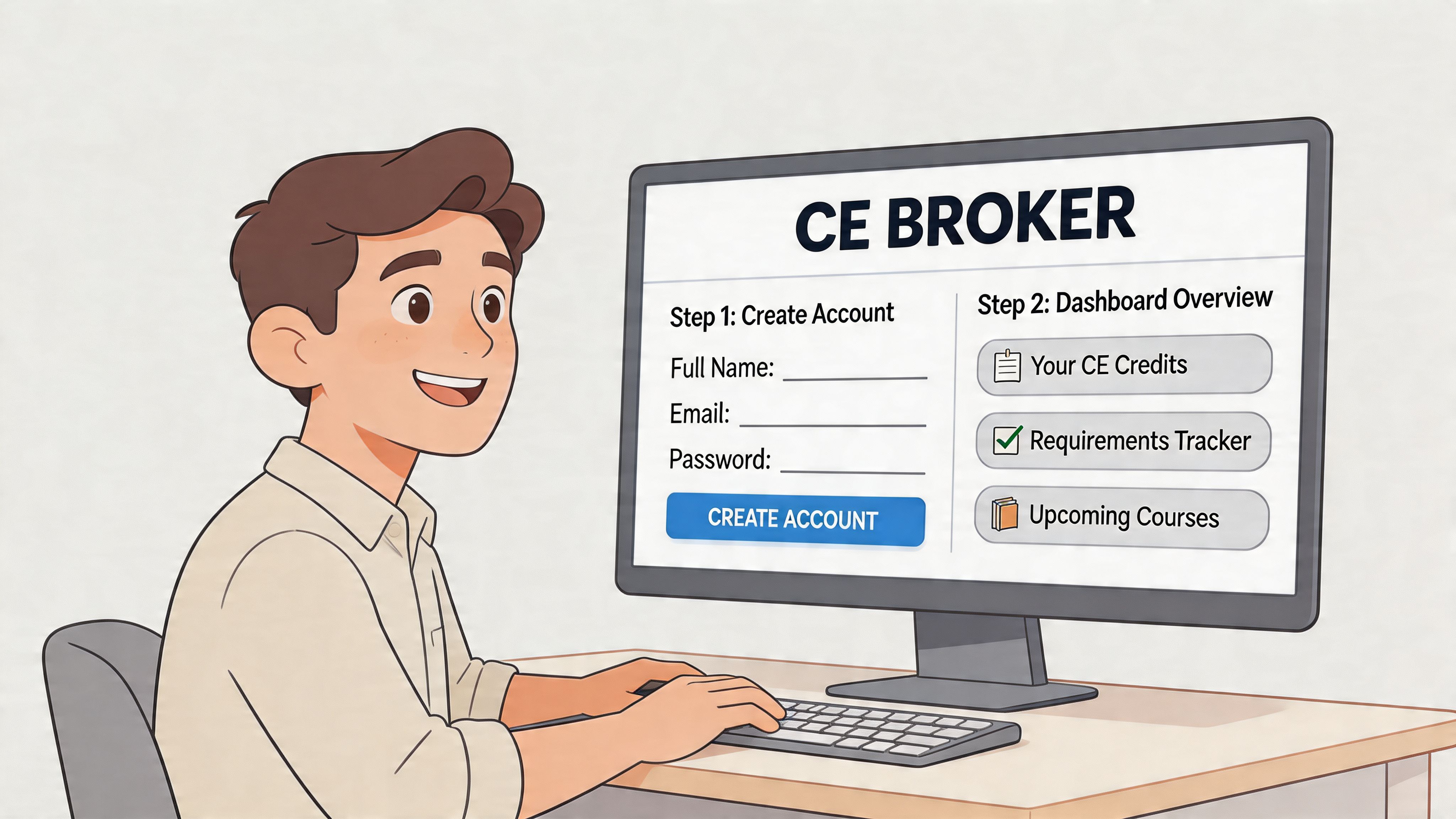
Getting started the right way
When you create your account, pay close attention to your license details. A single digit error can create reporting problems later, especially if your provider is sending completions automatically.
Use this as your basic setup checklist:
- Register with your exact license information
Enter your name and license number exactly as your board records them. - Confirm the correct profession and state
Some nurses hold more than one credential. Make sure the account matches the license you want tracked. - Review your requirement view
Once inside the dashboard, look for what your board says is required, what has already been completed, and whether anything is still outstanding. - Check your contact settings
Notifications and reminders only help if your email is current.
A good walkthrough can help if you want visuals while setting things up. ProMed published a practical guide on how to set up and use a CE Broker account.
What the dashboard labels mean
Three labels matter more than the others:
- CE Required What your board says you must complete
- CE Completed What the system has recorded so far
- Compliance Status Whether you're currently on track, deficient, or ready for renewal
If your numbers don’t look right, don’t panic. In many cases, the issue is timing, license mismatch, or provider reporting method.
Your dashboard is a status tool, not a substitute for reading your board rules. Use both.
Basic vs paid account options
CE Broker offers a free Basic account and paid tiers such as Professional, Pro+, and Concierge. According to CE Broker’s account creation help documentation, paid options include features such as automated transcript exports, and in Florida subscribed users can experience 25 to 40 percent faster renewal processing because of pre-validated CE status indicators.
That doesn’t mean every nurse needs a paid plan. For some, the free account is enough. For others, especially those who want stronger visibility, reminders, or easier transcript handling, the paid features can reduce last-minute friction.
Here’s a quick way to decide:
- Basic may be enough if you have one license, use organized providers, and regularly check your own records.
- A paid tier may help if you want more convenience, better transcript tools, or more hands-off monitoring.
- Concierge matters more for organizations and higher-touch workflows than for the average individual nurse.
If you'd rather watch the interface before choosing a plan, this overview helps make the dashboard less abstract:
Online CE fits well with this workflow because it puts completion, certificate delivery, and transcript review into one digital process. That’s one reason nurses are moving away from the old idea that only in-person classes count. They don’t. What matters is accreditation, acceptance, and accurate reporting.
The ProMed Advantage Seamless CE Broker Automation
The biggest difference in CE management isn't online versus in-person. It's manual reporting versus automated reporting.
Nurses often spend far too much time doing clerical work that should happen in the background. You complete the course, download the certificate, save it somewhere you'll hopefully remember, log into another portal, upload documentation, and then wait to see whether it appears correctly. That process isn't hard because it's advanced. It's hard because it's repetitive.
The old workflow compared with automation
Here’s what manual reporting usually looks like:
- Finish the course
- Download the certificate
- Double-check the license number
- Upload or self-report
- Wait for processing
- Log back in later to verify it posted
Now compare that with an integrated workflow. The provider sends your completion directly to CE Broker through a system connection, and your transcript updates without the same back-and-forth.
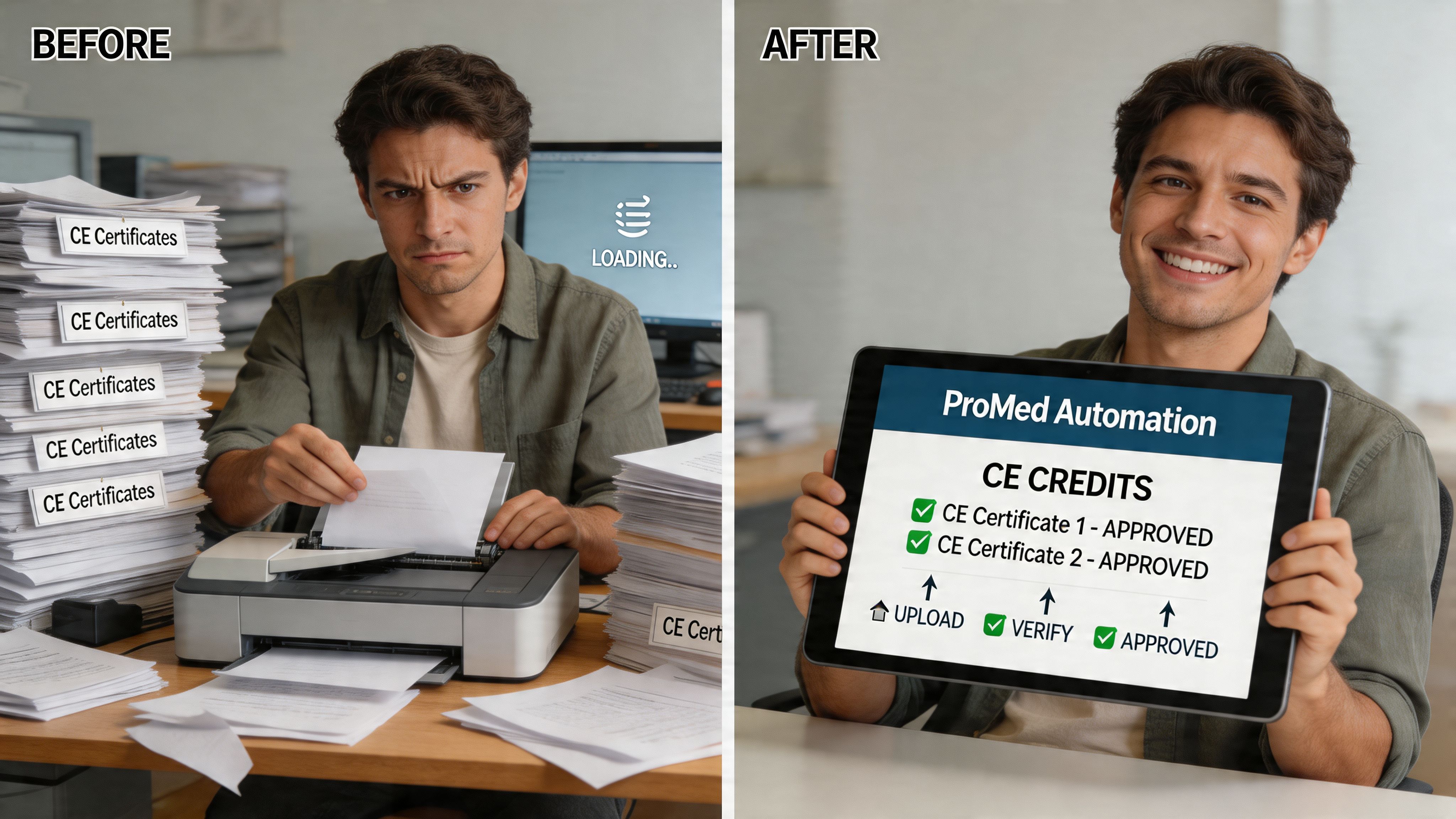
According to CE Broker’s web services documentation, automated reporting can happen through a .NET-based web services interface that sends XML-formatted completion data in real time. That direct system-to-system reporting bypasses manual queues, which means transcript updates can happen in seconds rather than days.
That’s the practical value of automation. Less waiting. Less duplicate entry. Fewer chances to mistype something important.
Why this matters for online education
Some nurses still hear outdated advice that only certain in-person courses are valid, or that only AHA or Red Cross classroom training counts. That isn't a reliable rule for CE and many certifications. What matters is whether the course is accredited, accepted for the requirement you need, and reported correctly where applicable.
Online education works especially well for CE because the format matches the task. You're learning defined content, documenting completion, and applying it to a compliance requirement. For busy clinicians, that flexibility is often the only realistic way to stay current without disrupting shifts, family time, or recovery time between schedules.
A connected system also mirrors the broader shift in healthcare operations. Many organizations already use tools such as healthcare automation software to reduce manual admin steps, improve consistency, and free staff for higher-value work. CE reporting benefits from the same logic.
Where an integrated provider helps
A provider like ProMed Certifications can fit into this process by offering online CE and certification options with automated reporting to CE Broker and relevant boards where supported. For nurses, that means the course completion and the reporting step don't have to live in separate systems you manage by hand.
The easier a provider makes reporting, the less likely you are to discover a problem at renewal time.
Automation doesn't remove your responsibility completely. You still need to choose the right course, use the correct license information, and verify your transcript. But it removes the most common administrative burden, which is exactly where many renewal mistakes begin.
Navigating State Reporting Nuances and Multi-License Challenges
Single-state compliance is manageable. Multi-state compliance is where experienced nurses start getting frustrated.
Travel nurses, telehealth clinicians, and nurses who maintain more than one active license often discover that one completed course doesn't automatically solve everything. The same education may be useful across licenses, but the reporting rules, category rules, and timing rules can still differ from board to board.
Why multi-state compliance gets messy
According to CE Broker’s partnerships guidance, a major challenge in CE management is the complexity of multi-state compliance. Standard guidance may not give professionals a clear roadmap for juggling different state requirements, credit standards, and reporting timelines.
That’s exactly what nurses run into in real life.
A common example looks like this:
- You hold a home-state nursing license and one or more additional licenses.
- One state accepts a course category easily.
- Another state wants that requirement labeled differently or reported differently.
- One provider reports automatically to one board.
- For another board, you may still need to document the same completion separately.
What nurses need to watch closely
The risk isn’t usually that you didn’t complete enough education. The risk is assuming one completion equals one compliance outcome everywhere.
Watch for these pressure points:
- Course category mismatches
A course may count, but not in the category you expected. - Board-specific timing
Reporting timelines can vary, especially when one provider reports automatically and another does not. - Separate license handling
If you maintain multiple licenses, don’t assume one transcript view covers all of them.
Multi-state practice is a documentation problem as much as an education problem.
For nurses who want a broader reference point, this state-by-state overview of continuing education requirements for nurses by state can help you compare obligations before you enroll in courses.
A practical way to stay organized
When you're managing more than one license, simplicity matters more than anything else. Use one personal checklist for each license. Track deadlines separately. Confirm whether each state expects direct reporting, self-attestation, or manual backup documentation.
If you use online education, choose providers that reduce duplicate work. That doesn't eliminate state-by-state differences, but it does reduce the number of places where you have to manually intervene.
The nurses who handle multi-license compliance well usually do one thing consistently. They don't wait until the end of the renewal cycle to reconcile records.
Troubleshooting Common Reporting Issues
Even when you do everything right, a CE record may not show up exactly when you expect. Most problems are fixable once you identify where the breakdown happened.
Your course isn't showing on the transcript
This is the issue nurses ask about most often. Start with the simple explanations before assuming the system failed.
Check these first:
- Provider status
Was the course completed through a provider that reports into CE Broker directly? - License number accuracy
If your profile had the wrong number, the completion may not match correctly. - Processing method
Automated reporting is faster than manual upload workflows.
According to the Arkansas State Board of Nursing CE Broker information, one common issue is that professionals complete CE through providers outside CE Broker’s partner ecosystem. In those cases, there often isn’t an automated data import or migration path, which forces manual uploads and creates extra friction.
You completed CE outside the partner ecosystem
If your course provider doesn’t report directly, you may need to keep your own documentation ready and follow the board’s process for manual entry or upload.
Use this approach:
- Save the certificate immediately
Don’t assume you can find it later. - Review the course details
Make sure the certificate clearly shows the completion date, course title, and credit information. - Check your board instructions
Some boards want self-reporting steps handled a specific way. - Verify after submission
Go back and confirm it appears where you expect it.
Your hours look wrong
When hours appear incorrect, the issue is usually one of three things. The wrong course was selected for the requirement, the completion was tied to the wrong license, or the provider information didn’t align with your account record.
A quick troubleshooting table can help:
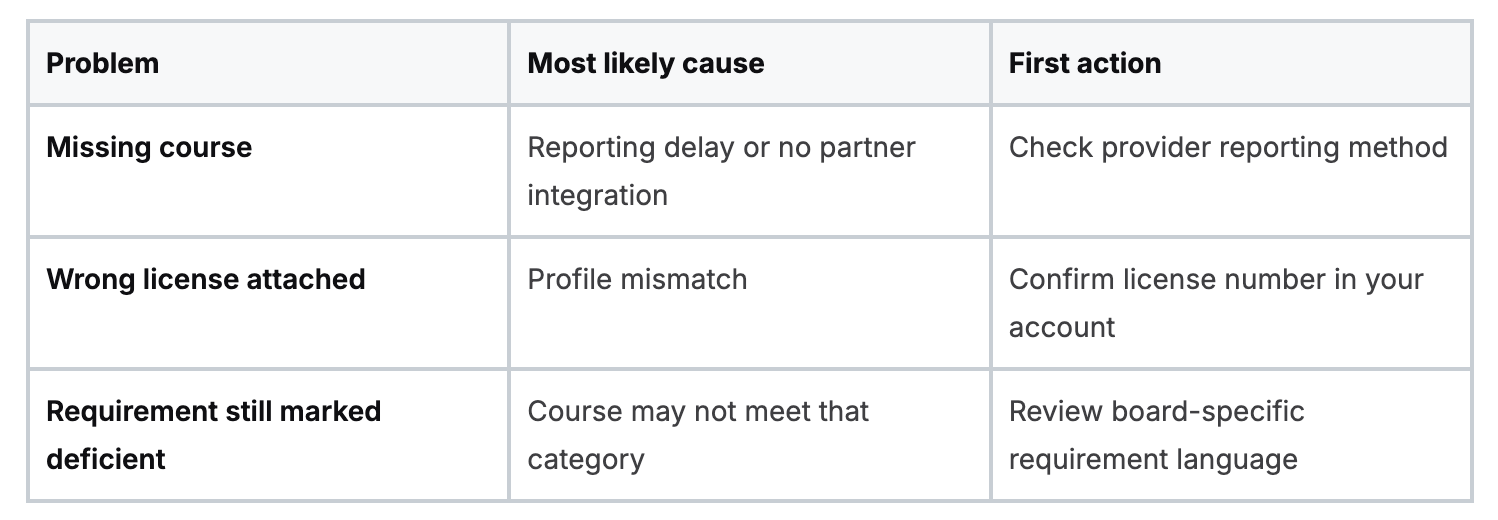
If a course completion exists but your compliance status still looks off, the issue is often classification, not completion.
You’re unsure whether the board received it
Don’t rely on assumptions. Open your transcript, review the recorded activity, and compare it against the requirement labels on your dashboard. If the completion appears but doesn't seem to satisfy the expected requirement, contact the provider first for reporting details and then your board if the classification remains unclear.
This is also where online education can be easier than traditional paper-heavy workflows. With online systems, your certificate, completion date, and account activity are usually easier to retrieve. The format itself isn't the problem. Disconnected reporting is.
A calm troubleshooting mindset helps
When nurses run into reporting issues, they often worry they’ll have to redo the course. Usually, that’s not the first step. Start by checking data, timing, and provider workflow.
Most CE problems are administrative, not educational. That’s good news, because administrative problems can usually be resolved with organized follow-up.
Your Action Plan for Effortless License Renewal
License renewal gets easier when you stop treating it like a once-every-cycle event. The nurses who have the least stress usually manage CE as an ongoing workflow rather than a deadline emergency.
CE Broker helps by making compliance visible. Automation helps by reducing the manual steps that create mistakes. Online CE helps by letting you complete requirements on your schedule without sacrificing legitimacy or quality.
A simple three-step plan
- Confirm your board requirements early
Read the current rules for your license, not your memory of them. If you hold more than one license, separate the requirements clearly. - Set up your CE Broker account correctly
Make sure your license information is accurate, review your dashboard regularly, and don’t wait until renewal week to notice a mismatch. - Use accredited education with clean reporting workflows
Online CE is a practical option for busy clinicians, and accepted online formats continue to fit more naturally into modern healthcare compliance. The right provider reduces paperwork and makes transcript tracking easier.
What to keep doing all year
A renewal plan works best when it becomes routine.
- Check your transcript after each completion
- Keep backup certificates in one folder
- Review every license separately if you practice across states
- Handle discrepancies while the course is still fresh in your mind
If you want a broader renewal checklist, this guide on how to renew your nursing license is a useful next step.
Good compliance habits protect your time. Great compliance habits protect your license.
Nursing already asks enough from you. Your CE process shouldn't add unnecessary confusion. Once you understand how c e broker fits into the larger picture, you can make smarter choices about courses, reporting, and renewal timing, and spend less energy chasing paperwork.
If you want a simpler way to complete CE and certifications online, ProMed Certifications offers accredited courses built for healthcare professionals who need flexible learning, digital certificates, and simplified reporting workflows.
.avif)
Stay compliant with ProMed+
Certifications included: ACLS, BLS, PALS, CPR & Neonatal Resuscitation
Unlimited continuing education: over 200 hours of accredited CME
All-inclusive: One price. No surprises.
Get certified today

The Advanced Cardiac Life Support (ACLS) is an accredited online medical certification course that teaches medical professionals to respond to nearly all cardiopulmonary emergencies.

The Pediatric Advanced Life Support (PALS) Recertification instructs medical professionals on performing pediatric cardiopulmonary resuscitation in emergencies.

The Basic Life Support (BLS) Recertification is intended to teach healthcare professionals the basic steps of CPR and rescue breathing for adults, children, and infants.

Our online medical certification course for CPR, Automated External Defibrillator (AED), and First Aid is designed to teach adult, child, and infant CPR and AED use.

The Neonatal Resuscitation Certification trains medical professionals in performing resuscitation procedures and life-saving techniques for newborns at the time of delivery.

.png)
.png)
.png)